
Library of EDA Utilities
Contact: help@edautils.ai
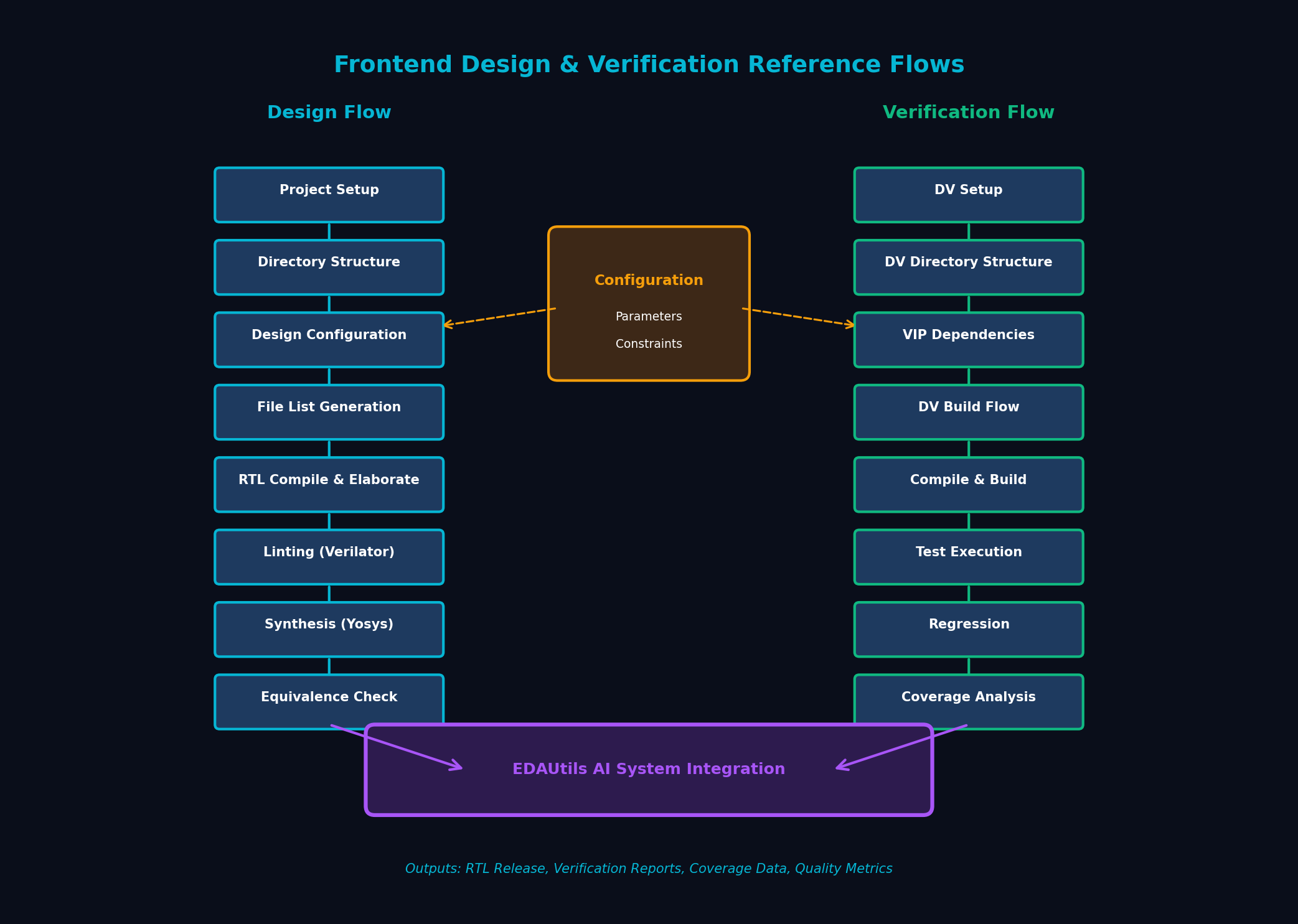
The Frontend Design and Verification Reference Flows provide a comprehensive, standardized methodology for RTL development, verification, and quality assurance. These reference flows establish best practices for project organization, file management, build processes, and verification workflows.
Integrated with the EDAUtils AI System, these flows enable automated quality checks, intelligent tool selection, and continuous improvement through machine learning feedback loops.
1. Project Setup: Initialize flow root, EDA tool versions, and environment variables. Set up workspace with proper permissions and paths.
2. Directory Structure: Create standard hierarchy following OpenCores guidelines - separate folders for RTL, docs, verification, synthesis, and scripts.
3. Design Configuration: Support multiple design variants through parameter files. Generic RTL with +define+ macros and parameter overrides (e.g., addr=128, data=64).
4. File List Generation: Automated generation of consolidated, flattened file lists including SIP/HIP dependencies. Handles include paths, defines, and library mappings.
5. RTL Compilation: Anvil/Anvhier for syntax checking and elaboration. Validates module hierarchies and parameter propagation.
6. Synthesis: Yosys-based synthesis with liberty library constraints. Technology mapping for ASIC or FPGA targets.
DV Environment Setup: Initialize DV flow root with simulator version, VIP installations, and test environment configuration.
DV Directory Structure: Separate directories for testbenches, tests, VIPs, coverage, and results. Follows UVM/OVM standards where applicable.
VIP Management: List and install verification IP dependencies. Support for standard protocol VIPs (AXI, AHB, APB, etc.).
Build Flow: Compile testbench and design together. Generate simulation executable (a.out/simv) with proper elaboration options.
Regression Execution: Parallel test execution with configurable seeds and options. Each test runs with specific command-line arguments.
Analysis and Reporting: Automated log parsing, error detection, coverage merging, and dashboard generation. Trend analysis across regression runs.
Standard inputs for reference flows:
Generated artifacts and reports:
Complete RTL development methodology including:
Comprehensive DV framework including:
Contact us to learn more about implementing these standard flows in your design environment